Pick a photo
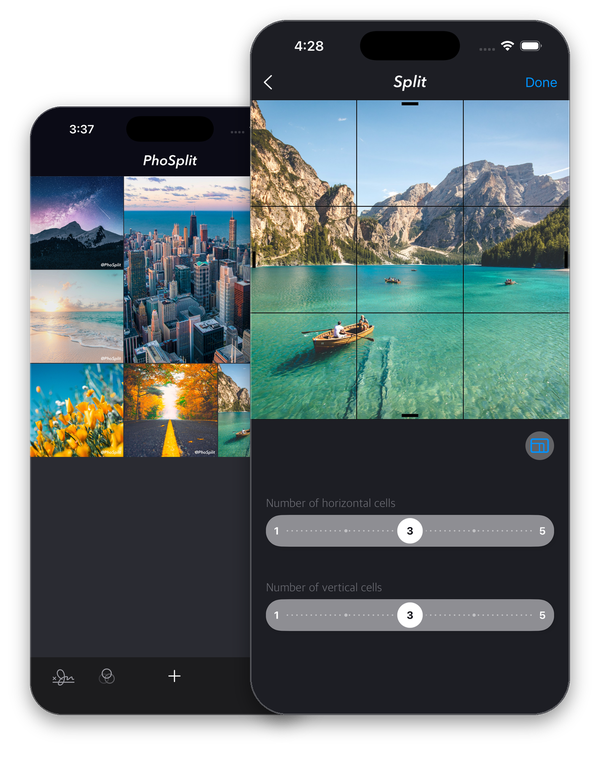
Choose from your library, take a new photo, or send one from the Photos app.
PhoSplit · Photo grids for iPhone
Turn a photo into an Instagram grid. Choose the layout, find your look, and share each piece in order.
Made for iPhone · iOS 15 and later
How it works
Choose from your library, take a new photo, or send one from the Photos app.
Set your crop and choose a layout from 1 × 2 to 5 × 5. See every cut before you save.
Send the pieces to Instagram in sequence, save the set, or share to another app.
Make it yours
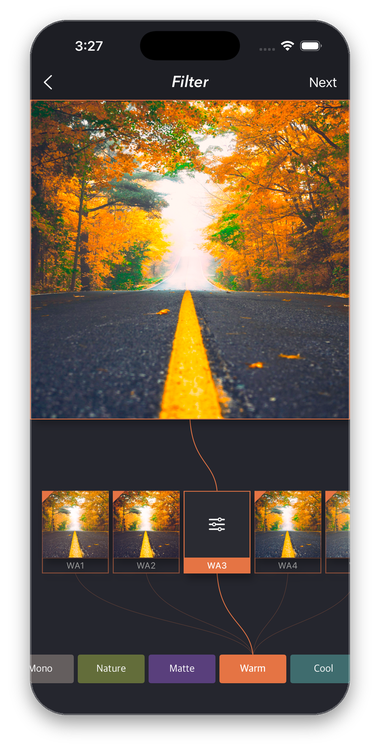
Adjust filter intensity, vignette, and exposure before splitting, so all the pieces match.
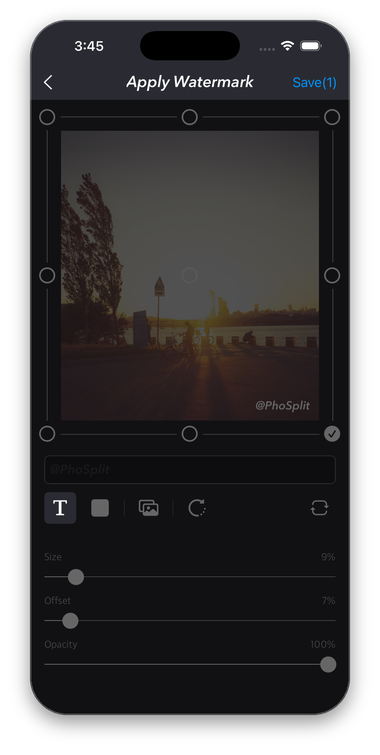
Premium lets you add custom text or a logo, then set the position, size, and opacity.
Keep projects with their layout and settings, organise them with tags, and share them again.
Flexible layouts
Choose square or rectangular grids, with full-resolution pieces numbered for posting.
Your photos stay yours
Split, filter, and watermark on your device. No account and no photo uploads.
Feels at home
Light and dark appearance, Dynamic Type, and English, Korean, and Japanese support.
Simple choices
$0
Try your first grids.
$0.99 / month
or $9.49 / year
Prices are in US dollars and may vary by region. Premium renews automatically through your Apple Account; the app shows the exact price before purchase. Cancel in Apple Account subscriptions, or restore purchases with the same account.
A few details
Yes. The free version includes grids up to 5 × 5, basic filters, and up to 12 saved projects. Exported photos include a small PhoSplit watermark.
No. Splitting, filtering, and watermarking happen on your iPhone. Your photos stay on the device.
Yes. Save the whole set to your photo library, share individual pieces, or send them to another app.

PhoSplit for iPhone.
