

Capture
Select an area of your Mac screen, or choose a photo on iPhone and iPad.
ScanTexter · OCR & translation for Apple devices
Turn text on your screen, in photos, or in video frames into words you can edit and translate.
Made for Mac, iPhone, and iPad

A simpler way to work with text
From something you see to something you can use, in one workflow.
Select an area of your Mac screen, or choose a photo on iPhone and iPad.
Convert the text in that image into editable words. No copying by hand.
Read the translation alongside the original text and keep your work moving.
Small tool. Useful every day.
Capture a quote, read text in an image, or translate a video frame without retyping it.
Explore the FAQUse your capture shortcut on Mac, select the text area, and view the result.
Turn text in apps, images, and video frames into content you can work with.
Use a popover, an overlay, or a separate window on Mac.
Take it with you
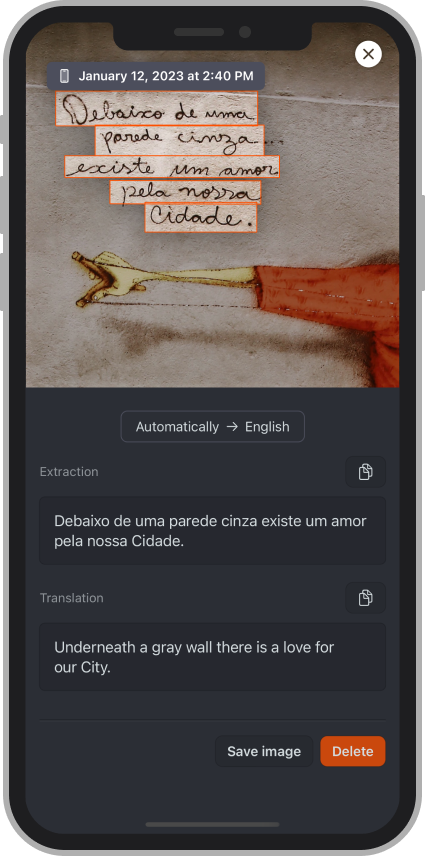
Capture text from a photo and translate it on iPhone and iPad. The same straightforward idea, wherever you are.
Available for iPhone and iPad
You can download ScanTexter from the Mac App Store for free. The free Mac version can be used up to 60 times. See the FAQ for more information.
ScanTexter requires macOS 13 Ventura or later.
On Mac, capture text from your screen, images, and video frames. On iPhone and iPad, extract and translate text from images and photos.

ScanTexter for Mac, iPhone, and iPad.
